
Do QR Codes Expire?
Home / Blogs / QR Code vs Barcode Difference Do QR Codes Expire? Here’s What You Should Know Now we see QR codes everywhere, from restaurant menus and product packaging to payments, event tickets, and marketing campaigns. But there is one important question many businesses and users ask: Do QR codes ever expire? In short, some QR codes have an expiry date, and others don’t. The lifespan of a QR code depends on its type and how it was created. Understanding how QR codes work can help businesses avoid broken links, failed scans, and poor customer experiences. What is a QR Code and How Does it Work? A QR code is a pattern of information that can be instantly read by smartphones and scanners. Depending on the setup, the code can contain: A website URL Contact details Wi-Fi password Billing details PDF files App download link Product pages or menus When a user scans the code with the help of their phone’s camera or QR scanner, the phone reads the information embedded in the QR code and automatically triggers the required action. Expiry Of Static QR Codes vs. Dynamic QR Codes Static QR codes usually do not expire at all because the information is stored permanently in the code itself. These are considered non-expiring QR codes as long as: The linked content is still there. The URL is still up. The printed code is not corrupted. Dynamic QR codes are a separate matter. Rather than storing the final destination directly, they route the users through a management platform. Consequently, dynamic codes may expire if: Subscription plan expires. The QR service is turned off. Scan limits are exceeded. The provider takes down the code. Thus, the question remains the same: do QR codes expire? The answer is a resounding yes, especially for dynamic QR code generators run by third-party platforms. Failed QR Code Scanning Reasons Sometimes, users think a code has expired when the real problem is a scanning failure. A QR code may fail to scan for several reasons. Poor Print Quality Blurry or low-resolution printing can make scanning difficult. Damaged Code Scratches, folds, and distortions can interfere with the pattern of the scan. Insufficient Contrast Light-colored QR codes on light backgrounds aren’t ideal for legibility. Broken URL Destination The code may appear correct, but the page it links to is no longer available. Wrong Size Too small or too large QR codes can be difficult for a camera to successfully scan. Read more Minimum Size for QR Code Guide How Long Do QR Codes Last? Another popular question from users is, “How long does a QR code last?” Static QR codes can last forever if created properly. Some companies will use the same QR code for years without any problems. However, actual life expectancy is subject to factors such as Quality of print Surface damage Sunlight exposure URL availability QR platform status Dynamic QR codes are only live when the subscription or campaign is live. Tips to Keep QR Codes Working Longer Follow these tips for increased reliability and fewer scanning issues: Use QR codes with a high resolution. Stop using low-contrast codes. Do not apply codes to curved surfaces. Test code before printing. Keep linked pages live. Choose trusted QR generator services for dynamic codes. To Sum It Up QR codes may appear simple, but knowing how they work can save a lot of frustration for businesses and users down the road. The good news is that, like most QR codes, they don’t just stop working on their own, especially the static ones. Issues often occur when the linked content has changed, the code has been damaged, or the dynamic QR service has expired. QR codes can continue to be a reliable and convenient tool for sharing information, processing payments, driving traffic, and improving customer experiences, provided they are generated correctly and maintained over time. Clearly, QR codes are nowhere near dead as more people use smartphones for everyday tasks. Table of Contents What is a QR Code and How Does it Work? Expiry Of Static QR Codes vs. Dynamic QR Codes Failed QR Code Scanning Reasons How Long Do QR Codes Last? Tips to Keep QR Codes Working Longer To Sum It Up
QR Code vs Barcode Difference
Home / Blogs / QR Code vs Barcode Difference QR Code vs Barcode: What’s the Difference and Which One Should You Use? Retail stores, warehouses, restaurants, and businesses are using QR codes and barcodes more frequently than ever. They might look similar at first glance, but they are for different purposes and work differently. In this guide, you will learn about the complete QR code vs barcode comparison, their structure, uses, advantages and disadvantages, and when to use one over the other for business. What Is A Barcode? A barcode is a machine-readable system of parallel lines and numbers. It stores data in a one-dimensional (1D) format and is widely used for inventory management, product tracking, and retail checkout systems. Traditional barcodes normally contain a small amount of information, usually just a product ID or serial number. Scanners read them horizontally. Common Uses: Barcodes have many uses: Retail Product Label Inventory Management Shipping & Logistics Library Systems Production Activities What Is A QR Code? A QR code (quick response code) is a two-dimensional (2D) code that can hold much more information than a barcode. It can store URLs, texts, contact information, payment information, Wi-Fi information, and a lot more. QR codes are unlike barcodes, as smartphones and QR readers can read them from any angle. If you’re new to QR technology, check out our thorough guide “What is a QR code?” to find out how it works. QR Code vs. Barcode: Major Differences Understanding the difference between a barcode and a QR code helps businesses choose the right solution for their needs. Features Barcode QR Code Data Type 1D (Linear) 2D (Matrix) Storage Capacity Limited High Scanning Direction Horizontal only Any angle Error Correction Minimal Advanced Error Correction Scanning Device Dedicated Scanner Smartphone/Scanner Speed Moderate Fast Use Cases Retail & inventory Marketing, payments, tracking, sharing Information Supported Numeric/alphanumeric URLs, text, multimedia, payments This comparison clearly shows why the barcode and QR code differences matter in modern digital workflows. Barcode vs. QR Code: Which Stores More Data? One of the significant differences in the barcodes vs. QR codes debate is data storage. Usually, traditional barcodes contain: Product code SKU IDs Primary inventory details On the other side, QR codes can contain the following: Website links PDFs Images Contact information Download links for the app Billing information Social media links This flexibility has made the QR code a popular choice for businesses looking to create engaging customer experiences and digital touchpoints. What Are The Advantages Of Barcodes? QR codes may be more sophisticated, but barcodes do have some advantages. 1. Low-Cost Barcodes are cheap to print and implement, and thus, they are ideal for retail businesses. 2. Basic Inventory Control They help track, stock and help identify products. 3. Widely Supported Barcodes are mostly supported by retail systems and scanners. 4. Quick Checkout Billing and inventory operations get faster with barcode scanning. What Are The Disadvantages Of Barcodes? They are useful, but they have some limitations. 1. Data Storage Is Limited A barcode doesn’t hold much information. 2. Specialised Scanners Required Most of the traditional barcodes require laser scanners to be read properly. 3. Fragile If the printed lines are scratched or blurred, scanning can fail. 4. One-Directional Scanning For successful scanning, barcodes must be properly aligned. What Are The Advantages Of QR Codes? QR codes provide more flexibility and functionality for both the business and users. 1. More Storage Capacity QR codes can store a lot more information than barcodes. 2. Works with Smartphones Users can scan them directly with mobile phones, without any additional hardware. 3. Scan More Quickly QR codes are quick to scan at a variety of angles. 4. Other Marketing Opportunities Businesses can link QR codes to websites, menus, promotions, landing pages, and payments. 5. Error Correction Technology. QR codes that are partially damaged can often still be scanned. What Are The Disadvantages Of QR Codes? QR codes are useful, but they also have some downsides. 1. Security Issues Bad QR codes can send people to dangerous sites if you don’t check. 2. Requires Internet Many QR codes require an internet connection to work. 3. Overuse Can Lead To Less Engagement Too many QR codes in one campaign may confuse the user. Barcodes vs QR codes: Use Cases Which one to use and when to use, it all depends on your business goals. When To Use Barcodes? Inventory management Follow your products Retail checkout systems in use Warehouse item labeling When To Use QR Codes? Website sharing links Running digital marketing campaigns Payment Provisioning Restaurant menus Exchanging contact details Analytics and tracking scans Static and Dynamic QR Codes Businesses using advanced campaigns typically prefer dynamic QR codes over static QR codes for editable links and scan tracking. For permanent, non-editable applications, static QR codes may be used. If you choose to use QR codes, it’s important to know the difference between static and dynamic codes. Static QR codes have immutable information and cannot be altered once generated. With dynamic QR codes, you can change the destination without changing the QR code. Read more in our complete guide to static vs. dynamic QR codes. How To Create A QR Code? Designing a QR code is simple and takes just a few steps: Select a QR code generator Type in your URL or data Customize according to your brand Download QR code Print or share digitally If you want to create a perfect QR code that offers smooth scanning, then see our detailed guide on how to create a QR code with step-by-step instructions. Final Words The question of barcode vs. QR code is really about functionality and what your business needs. Barcodes are still a fantastic way to handle inventory and retail. QR codes are more versatile and interactive, and have more potential for digital engagement. If all you need is basic product tracking, barcodes might be sufficient. But if you want customer interaction, mobile access, analytics, or editable content, the QR code is the better option.
Minimum Size For A QR Code
Home / Blogs / Minimum Size For QR Code Minimum Size For A QR Code: How Small Can a QR Code Be and Still Work? QR codes are everywhere today; you see them on restaurant menus and product packaging, business cards, posters, and payment systems. But one question still puzzles many users: How Big Should a QR Code Be for Easy Scanning? A QR code that is too small can’t be scanned by scanners. If it’s too big, it can mess with your design layout unnecessarily. It’s important to get the QR code dimensions right for usability, print quality, and scan success. In this guide, we’ll explain the following: How Small Can a QR Code Be? Suggested QR Code Dimensions QR Code Pixels And Print Needs Factors Affecting Scanability How To Create Perfect Scannable QR Codes QR Codes Vs. Barcodes Size This guide will help you decide on the right size, whether you use static QR codes or dynamic QR codes. What is the Minimum Size For A QR Code? Most people recommend that the minimum size for QR codes is 2 x 2 cm (0.8 x 0.8 inch). It generally works fine on most smartphones when printed clearly with excellent contrast at this size. The minimum size of a QR code that still works, however, depends on some factors, including: The volume of data stored Print quality Range of scanning QR code type error correction level The camera quality of the scanning device A QR code with a short URL can often be printed smaller than one with a large amount of information. How Small Can a QR Code Be and Still Work? A QR code can be printed incredibly small in theory, but practical usability is more important than theory. Most authorities advise against smaller sizes: 1 x 1 cm for very simple barcodes.2 x 2 cm for dependable everyday scanning. If the QR code is too small: Smartphone cameras may not focus. Modules may blur together. Users may have trouble scanning. This consideration is particularly important for printed packaging, stickers, labels, and marketing materials. Recommended QR Code Dimensions for Different Uses Use Case Recommended Size Business cards 2 x 2 cm Product packaging 2.5 x 2.5 cm Flyers & brochures 3 x 3 cm Posters 4 x 4 cm or larger Billboards Depends on viewing distance QR code stickers 2–5 cm Restaurant table tents 3 x 3 cm The farther people scan from, the bigger the QR code should be. A common rule is: Scanning distance ÷ 10 = minimum QR code size For example:If people scan from 20 inches away, the QR code should be at least 2 inches wide. How Many Pixels Should A QR Code Be? The physical size is less important for digital use; the important thing is the number of pixels in the QR code. A good place to start is at Minimum: 200 x 200 px Recommended: 300 x 300 px or larger For high-quality printing, export your QR code using the following settings: PNG SVG PDF EPS Vector formats like SVG are particularly useful because they scale without losing quality. What Affects QR Code Scannability? QR code size alone does not guarantee a successful scan. Other factors affect performance. 1. Density of Data As more information is stored in the QR code, it becomes denser. You need to check the difference between static vs dynamic QR codes to know which one is better for your use case. 2. Contrast and Color For best scanning performance: Use dark patterns on a light background. Avoid low-contrast color combinations. Keep the QR code free of visual clutter. 3. Quiet Zone A QR code requires some space around it, called the “quiet zone.” Scanners might have trouble identifying the edges of the QR code if there is no proper spacing. The quiet zone should ordinarily be: minimum of 4 modules wide on all sides. 4. Quality of Print Even large QR codes can be difficult to scan with blurred printing, ink bleed, or low-resolution exports. Always test printed QR codes before mass production. How To Create A QR Code That Scans Properly? Here are some best practices: Keep URLs concise Use high resolutions Test before you publish Don’t overdesign Select the proper size You can use a free QR code generator tool to quickly test a variety of sizes before you settle on a final design. QR Code vs Barcode: Size Differentiation All things considered, in a comparison of QR code vs barcode, QR codes usually store much more data. Unlike regular barcodes: QR codes can be read from many angles Hold more data Often readable even when partially damaged However, their compact structure also makes correct sizing more important. Key Takeaway Some QR codes may be functional at extremely small sizes, but a safer recommendation for most real-world applications is: Print: a minimum of 2 x 2 cm; Digital: a minimum of 200-300 pixels. The right size of the QR code improves:Scan success, customer experience, and marketing effectiveness. Test your QR codes before publishing, whether you’re designing QR code stickers, product packaging, menus, or digital campaigns. The right dimensions are the difference between a user experiencing seamless scanning and a user being frustrated. Table of Contents How Big Should a QR Code Be for Easy Scanning? What is the minimum size for a QR code? How Small Can a QR Code Be and Still Work? Recommended QR Code Dimensions for Different Uses How Many Pixels Should A QR Code Be? What Affects QR Code Scannability? How To Create A QR Code That Scans Properly? QR Code vs Barcode: Size Differentiation Key Takeaway
QR Code Benefits
Home / Blogs / QR Code Benefits QR Code Benefits: Why Businesses Are Using QR Codes Everywhere in 2026 QR codes have become much more complicated than black-and-white squares. Today, they help with payments, restaurant menus, product packaging, marketing campaigns, customer support, event check-ins, and even healthcare systems. As smartphone usage continues to grow, companies are increasingly opting for QR code solutions to provide faster, contactless, and more engaging customer experiences. But what’s so good about QR codes? In the previous blog, we learned about what a QR code is. In this guide, we’ll discuss QR code benefits, their real-world applications, the different types of QR codes, and why businesses across industries now consider them an essential digital tool. The Rising Importance Of QR Codes Businesses today need to connect offline audiences to digital experiences faster. QR codes perfectly suit this challenge. Instead of customers having to find the information themselves, companies can quickly direct them to the right spot with a quick scan. This enhances: User experience Customer involvement Marketing performance Accessibility Operational effectiveness From small businesses to global brands, QR codes are now an important part of digital transformation strategies. Understanding Different Types Of QR Codes Not all QR codes work the same way. They may look the same visually, but they are. To better understand the difference between static and dynamic QR codes, it’s important to know how each type works and where it is best used. There are essentially two types of QR codes: static QR codes and dynamic QR codes. Static QR codes are permanent, and the information cannot be changed once created. But with dynamic QR codes, businesses can change the destination content even after the QR code has been printed. They also provide scan monitoring and analytics, which makes them perfect for marketing campaigns, restaurant menus, product packaging, and business promotions. The best QR code option for you will depend on how you plan to use it, whether you will need to make edits in the future, and whether monitoring and analyzing customer engagement is important to your goals. Some Major QR Codes Benefits 1- Real-Time Access To Information One of the greatest advantages of QR codes is speed. Rather than typing in long URLs, manually searching, or separately downloading files, users can get the information they need with one scan. That makes for a more seamless, more convenient customer experience. Less friction often means more engagement and conversion when it comes to businesses. 2- Effective Customer Interaction QR codes are created for engagement. A simple scan can take customers to: Loyalty programmes Product surveys Members-only offers Social media sites Event sign-ups The process is instant, which makes it more probable that users will participate compared to the old manual method. Companies can also use advanced QR code solutions to create personalized customer journeys. 3- Contactless Consumer Experience QR codes became a popular topic during the pandemic, but their usefulness has kept them around well beyond that. Restaurants use QR codes for digital menus, retailers for payments, and clinics for patient forms. People now see contactless interactions as faster and more efficient. That is why QR codes are especially useful for industries where customer convenience and hygiene are a factor. 4- Low-Cost Marketing Tool Traditional advertising media are expensive to print and require frequent updates. QR codes connect physical marketing with digital content. Businesses can put QR codes on the following: Posters and flyers Packaging of Product Posters Cards Leaflets Companies can send users directly to digital landing pages, rather than printing lots of information. This cuts printing costs and gives you more flexibility with your campaign. 5- Supports Real-Time Updates Dynamic QR codes let businesses change destinations without changing the printed code itself. For example: Restaurants can update their menus Retailers may change promotions Event organizers may adjust schedules Brands can reroute campaigns This flexibility makes QR codes highly scalable for long-term use in marketing. 6- Easy To Set Up And Use Another big benefit of QR codes is accessibility. You don’t need to be a tech wizard to make QR codes work for your business. Most QR code generators allow users to design their own codes in minutes. Consumers also find QR codes easy to use, as modern smartphones come with built-in scanning. 7- Better Tracking And Analytics Today, QR code solutions offer detailed analytics that enable businesses to learn more about the behavior of their customers. Companies can monitor: Number of scans Types of devices Scan Points Time-based interaction Campaign effectiveness These insights help with marketing optimization and return on investment. 8- Boosts Brand Visibility and Trust QR codes give companies the chance to show they’re modern, tech-savvy, and customer-focused. By putting QR codes on packaging, business cards, menus, ads, or promotional merchandise, companies signal to consumers that they appreciate convenience and innovation. They also allow companies to share more information without overwhelming printed materials. Instead of cramming brochures and posters with text and links, companies can keep it clean with a quick scan. Why QR Codes Will Matter For Brands In 2026 Consumer behavior continues to shift to mobile-first experiences. People expect instant access, faster interactions, and little friction. QR codes meet these expectations. QR code solutions provide businesses with a range of benefits, including but not limited to: Faster customer engagements More involvement Better marketing efficiency Reduced operating costs Easier sharing of information As offline and online experiences continue to blur, QR codes are becoming a necessary business tool, rather than a nice-to-have. Final Thoughts The benefits of a QR code go far beyond convenience. QR codes have become a powerful bridge between physical and digital experiences, helping businesses improve accessibility, engagement, and operational efficiency. Whether used for payments, marketing, customer support, or information sharing, QR codes provide flexible and scalable solutions for modern businesses. As consumer expectations continue evolving, companies that offer QR code solutions like QR Inventor will be better positioned to deliver faster, smarter, and more connected experiences. Frequently Asked Questions (FAQs) What are
Static VS Dynamic QR Codes
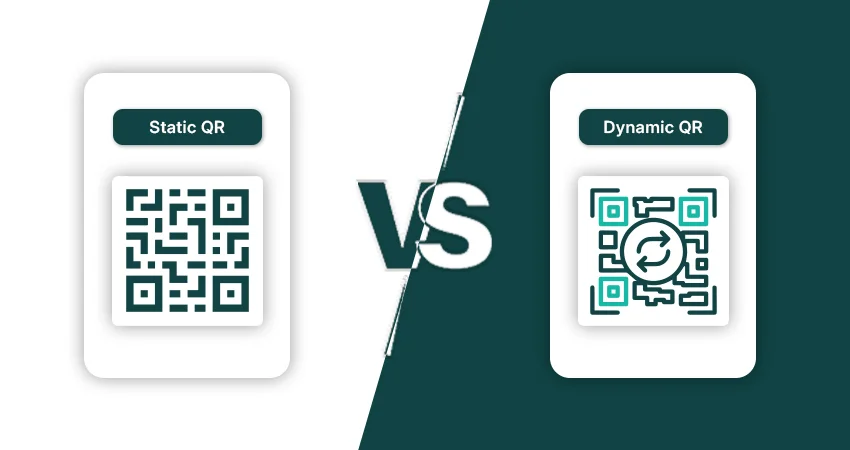
Home / Blogs / Static VS Dynamic QR Codes Static vs. Dynamic QR Codes: What’s the Difference and Which One Should You Use? QR codes are integral to communication these days. From restaurant menus, digital payments, product packaging, and marketing campaigns, businesses across the globe are now using QR technology to connect offline users to online experiences instantly. But before you create one, there’s an important decision to make: should you use a static QR code or a dynamic QR code? They may look similar on the surface, but they work very differently in practice. Selecting the wrong type can cost you more than you can imagine; that’s why knowing the difference between static and dynamic QR codes will help you pick the right type. What Is A QR Code? QR stands for Quick Response. QR codes contain digital information and are scannable. You can use a smartphone’s camera to scan it, and the linked content will open right away without you needing to type anything. QR codes can contain the following: URLs Contact details Wi-Fi passwords PDF documents Billing details App download link Text messaging Today, QR codes are everywhere and offer customers an easy way to interact and access information across both digital and physical platforms. What Are Different Types Of QR Codes? There are two types of QR codes today. Static QR codes and dynamic QR codes. The difference is not visual; it is functional. One is static and permanent, and the other is editable and flexible. This distinction is critical when using QR codes in business, advertising, packaging, or marketing campaigns. What Is A Static QR Code? A static QR code stores information directly inside the QR pattern permanently. You can’t edit the embedded content once the code is generated. For example, a static QR code might link to a website URL. That URL is fixed to the QR code. If the webpage changes later, the QR code cannot be changed. The only way would be to make a brand new code and print it. Static QR codes are typically used in simple, long-term use cases where the information is not expected to change. Ideal for personal use, storing business details permanently, accessing home Wi-Fi, or sharing information easily. One of the main reasons to use static QR codes is that they are usually free to generate. They run themselves and require no maintenance. But static QR codes do have their limitations. They don’t have scan analytics, user tracking, device insight, or editing features. When printed, they are permanently locked. What Is a Dynamic QR Code? A dynamic QR code works differently. Instead of storing the final destination directly inside the code, it stores a short redirect link that forwards users to the actual content. This allows the destination to be updated at any time without changing the printed QR code itself. For example, a business can print one QR code on product packaging today and later redirect customers to an entirely different landing page without reprinting anything. The QR code remains the same while the destination changes in the background. This flexibility makes dynamic QR codes highly valuable for businesses and marketing campaigns. Because of their flexibility, dynamic QR codes are commonly used for: Restaurant menu QR codes Marketing campaigns Event registrations Product packaging Real estate promotions Digital advertisements Business analytics Although many dynamic QR code generators offer free plans, premium subscriptions often include advanced monitoring features. Core Difference Between Static And Dynamic QR Codes Feature Static QR Code Dynamic QR Code Editable After Creation No Yes Scan Monitoring No Yes Analytics No Advanced Analytics Best For Permanent Info Marketing Campaigns Requires Reprinting for Changes Yes No URL Management Fixed Flexible Campaign Optimization Limited Excellent Cost Usually Free Often Paid/PFreemium The Hidden Cost Of Using The Wrong QR Code Many businesses opt for static QR codes, as they are free, but encounter expensive problems later. Some of the common problems that people face are: Reprinted menus Campaign URLs broken Event pages that have expired Wrong URLs on packaging Lost analytics opportunities For companies, dynamic QR codes tend to be the less expensive option in the long run, as they reduce operational errors and maximize campaign flexibility. Common Mistakes While Creating A QR Code Avoid these common mistakes: 1. Static QR Codes for Temporary Campaigns You might have to edit the information later .2. Printing Without Testing Make sure you scan your QR code on more than one device. 3. Employing Low-Quality QR Images Blurry codes make a scan less likely to succeed. 4. Disregarding Analytics Without keeping track, it is difficult to optimize campaigns. 5. Links to Broken Pages Keep a regular check on your landing pages. Is It Possible To Convert A Static QR Code Into A Dynamic One? No. Once a static QR code is created, its contents are fixed for all time. To access editing and analytic features, you’ll have to create a new dynamic QR code. Final Thoughts Overall, the static vs. dynamic debate is about flexibility vs. simplicity. Static QR codes are free, fixed, and simple, perfect for simple or private use. Businesses and marketing professionals favor dynamic QR codes because they can edit, analyze, and control them for the campaign. As QR code usage across industries continues to grow, the impact of selecting the proper type of QR code is increasingly important. The decision you make today can save time, lower operational costs, and improve customer experiences tomorrow. With a reliable QR code generator, you can create any kind of QR code. See you in the next blog; until then, take care! Frequently Asked Questions (FAQs) What is the difference between static and dynamic QR codes? Static QR codes can’t be edited after creation, but dynamic QR codes can be updated to a different destination at any point. Are dynamic QR codes better for business? Yes. Dynamic QR codes offer businesses analytics, editing, and greater campaign flexibility. Do static QR codes expire? No. Static QR codes do not
How To Create A QR Code

Home / Blogs / How To Create A QR Code How To Create A QR Code In 2026: Step-by-Step Guide for Beginners The digital and physical worlds are converging like an unstoppable force. Whether you’re a small business owner, marketing pro, or just want to share a Wi-Fi password quickly, you must know how to create a QR code. It is non-negotiable. We’re long past the days of clunky pixelated squares. Today’s QR tech is sleek and trackable, capable of redirecting or launching anything from simple websites to immersive augmented reality (AR) experiences. This guide will show you how to make a QR code in seconds with a step-by-step guide for beginners. How To Create A QR Code: A Step-By-Step Guide You don’t have to be a computer science grad to write excellent code. Here are four easy steps to make a QR code instantly: 1. Choose Your Content Type Decide what you want the code to do before you open a generator. Common ones include: URL: Linking to a landing page or social media profile. vCard: A digital business card that saves contact information directly to a phone. PDF: Great for restaurant menus and product manuals. App Store: Link to download your app for mobile devices. 2. Pick The Right Framework: Static vs. Dynamic This is the most important decision in the whole process. Static QR Codes: The information is embedded into the square. Once printed, the destination cannot be changed. These are particularly useful for “permanent” info, like a Wi-Fi password. Dynamic QR Codes: They use a short redirect URL. This means that you can change the destination link at any time, without having to reprint your materials. They also provide important analytics, such as where and when the scan occurred. 3. Use A Personalized QR Code Generator Create a custom QR code generator with your own data. Most modern tools provide you with the ability to Change the “eyes” (the big three squares in the corners). Add a brand logo in the middle. Change the colors to match your branding (make sure they are high-contrast and easy to read). 4. Try It And Download It Test. Always. Never skip this step. Open the camera on your smartphone and scan the preview on your screen. Once confirmed, download the file. For print, make sure to use SVG or EPS formats so they don’t get blurry when you resize them. For digital use, a high-resolution PNG is usually sufficient. How to Make a QR Code in Seconds (The “Hidden” Tech) If you’re in a hurry, there are “instant” ways to make codes without even going to a dedicated website: Google Chrome: Tap the “Share” icon in the address bar, then choose “QR Code.” Canva: Create and embed code directly in your design using the built-in QR code app. iPhone/Android: Use shortcut apps to create codes for your current clipboard or contact card. QR Inventor: For more demanding needs, QR Inventor offers a rapid, simplified interface to create a QR code in a flash Pitfalls to Avoid Falling For Even if you’re using a free QR code generator, a poorly done code can still hurt your brand. Avoid these common traps: Low Contrast: Light colors on a light background make it difficult for cameras to “see” the data modules. The best way is to use a dark code on a light background. The “Dead Link” Trap: This issue happens most often with static QR codes. If your website URL changes and you used a static code, that printed flyer is now useless. Use Dynamic QR codes for any evolving campaign. Size Matters: Many older devices might not scan a code that is too small (less than 2 x 2 cm). No Call-to-Action (CTA): A “naked” QR code is often ignored. Always include a brief call to action, such as “Scan for giveaway” or “Scan for the full menu.” Bad Placement: Do not place QR codes on moving objects (such as the side of a bus) or behind reflective glass where glare will make scanning impossible. What Are Some Unique QR Applications? To rank well and engage your audience, you need to go beyond the simple URL link. Here are some advanced use cases for your newly created codes: The Digital Product Passport (DPP) Faced with new global regulations, brands are launching QR codes as “digital product passports.” Consumers can scan a single clothing tag to view the entire supply chain, origin of the material, and how to recycle the item. Augmented-Reality “Magic” Windows By linking a QR code to a Web-based AR (WebAR) experience, a flat poster can become a 3D product demonstration. Customers can see how a piece of furniture looks in their room or see a video testimonial pop out of a business card. “Smart” WiFi Access Businesses are putting up nice, branded QR codes on tables that let guests connect to their network with one tap instead of typing “GuestPassword123!” twenty times a day. Environmental Factors: The Testing Phase in the “Real World” One common error when following the step-by-step instructions for QR code creation is checking the code only on a bright computer display. In the real world, the environment can break your tech. Consider these variables before finalizing your design: Distance and Density: If your code is on a billboard, it has to be much bigger and less dense than code on a business card. If the data modules are too small, the camera sensor will not be able to distinguish them from a distance. Lighting and Glare: Printing your code on glossy paper or placing it behind glass can cause glare, which can “blind” the scanner. In these cases, static QR codes with minimal data (resulting in larger modules) can help the scanner penetrate the reflection. Surface Curvature: When you put a code on a soda can or a mailing tube, the surface curvature distorts the squares. The software uses a specialized QR code generator that adds “alignment patterns” to address the wraparound
What Is A QR Code
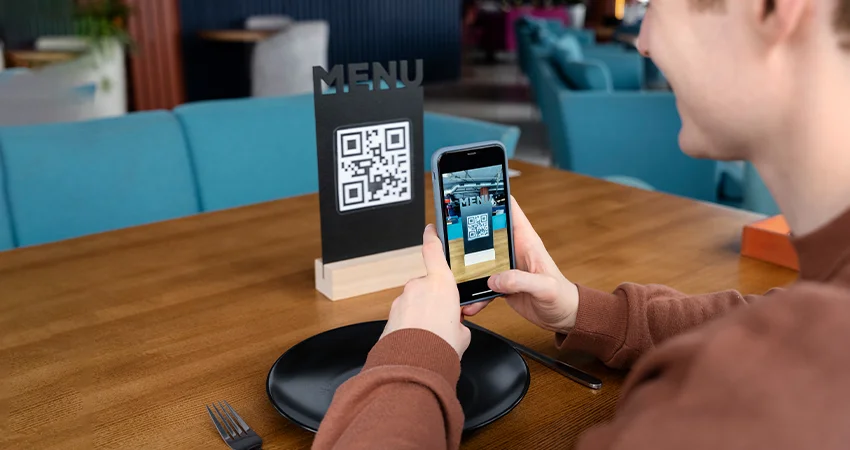
Home / Blogs / What Is A QR Code What Is A QR Code? The Ultimate Guide to Understanding Scanning Technology Today, we see those little, pixelated black-and-white squares all over the digital world. But what are they? It too got you thinking, right? Don’t worry, in this blog, we will answer all the questions you have in mind. We see QR codes everywhere: on restaurant menus, product packaging, TV commercials, and digital boarding passes. It’s the bridge between the physical and digital worlds. But what is a QR code? This question goes beyond the appearance. It’s a highly sophisticated way of encoding data, and it has changed how we instantly share information. What Is A QR Code? The meaning of a QR code is not something you can just look up in a dictionary. A QR code (Quick Response code) is a type of matrix barcode that contains information in both the horizontal and vertical directions, whereas a traditional barcode stores data in a linear fashion. The full form of the “QR” code is “Quick Response” code. The name was chosen in 1994 by the inventors at Denso Wave, a subsidiary of Toyota. The main purpose was to develop a code that could be read at high speed, especially when tracking vehicles and parts in the manufacturing process. How Does A QR Code Work? To understand what a QR code is and how it works, it’s helpful to think of it as a more complex version of the usual UPC barcode you see on grocery items. How QR Code Works: Anatomy of a Square There are a few important elements of a QR code that allow a scanner (such as your mobile phone camera) to read the information: Finder Patterns:Those are the three big squares in the corners. They assist the scanner in determining the code’s orientation and position. Alignment Patterns: Small squares that ensure the code can be read even if it is distorted or printed on a curved surface. Timing Patterns: Lines used by the scanner to determine the size of the data matrix. Quiet Zone: The white border around the code helps the scanner distinguish it from its surroundings. Data Modules: The actual binary data is encoded in tiny black-and-white dots. The data encoding in QR codes involves the Reed-Solomon error correction. This means that a code can still work even if it is partially damaged or dirty. This is one of the remarkable benefits of QR codes over traditional linear barcodes. Barcode vs. QR Code Difference While both barcodes and QR codes are used for data storage, there is a substantial difference between them: Feature Traditional Barcode (1D) QR Code (2D) Data Capacity Low (approx. 20-25 characters) High (up to 7,089 characters) Data Types Alphanumeric only Text, URLs, binary, and Kanji Size Requires more horizontal space Compact and scalable Error Correction None (damage makes it unreadable) High (remains readable if damaged) Types of QR Codes: Static vs Dynamic Not all QR codes are the same. When you opt for a free QR code generator service, you will most likely find two main types: 1. Static QR Codes A static QR code contains “hard-coded” information. The destination cannot be changed after code generation. These are particularly useful for things that don’t get old, like a Wi-Fi password or a plain text message. The more information you add, the more complex and dense the code, as the data is embedded directly into the pattern. 2. Dynamic QR Codes Dynamic codes offer much more flexibility in business use. They don’t actually save the result data; they save a “short URL” that redirects the user. This means you can change the destination URL whenever you want without altering the printed code. Also, a dynamic QR code allows you to monitor the number of scans, location, and device type, which is a key feature of modern QR code applications. Applications and Uses of QR Codes Only imagination limits the uses of QR code technology. Due to their cost-effectiveness and ease of deployment, they have been widely adopted in many sectors. Examples of QR Codes in Real Life: Contactless Menus: Restaurants are now adopting them for digital menus, saving on print costs and improving hygiene. Mobile Payments: Applications like PayPal, Venmo & some banking apps use QR codes to make P2P transfers. Authentication: Two-factor authentication (2FA) apps typically use a QR code to synchronize a mobile device with a secure account. Marketing and Advertising: Scanning a code on a billboard or flyer takes customers to a landing page or to a newsletter sign-up. Professional QR Code Applications: Inventory Management: Keeping track of assets in large warehouses. Event Ticketing: Scan digital tickets at concerts or sports venues. Healthcare: Connecting patient identification to digital medical records. Advantages of QR Codes: Why Are QR Codes Important? Universal Accessibility: QR code scanning capability is built into the native camera app on almost all modern smartphones. No special hardware needed. Cost-Effectiveness: It is almost free to produce a code, and printing a code costs no more than printing a standard logo. Speed and Efficiency: It saves users time typing long and complex URLs, removing the “friction” in the user experience. High Information Density: Stores much more information than a traditional barcode in a much smaller area. QR Code Security & Safety As with any other digital gateway, the safety and security of QR codes are valid concerns. Because humans cannot “read” a QR code by looking at it, sometimes attackers will use “quishing” (QR phishing). That means overlaying a fake QR code on a legitimate one to redirect people to malicious sites. Just to be safe: Verify the code: Ensure that it is not a sticker placed over the original code. Preview URL: Many scanners provide a URL preview before clicking on the link. Verify suspicious domains. Avoid risky transactions: Be cautious when scanning codes in public places that request financial or personal data. The Future of Scanning Technology The evolution of QR code data