
Minimum Size For A QR Code: How Small Can a QR Code Be and Still Work?
Follow Us
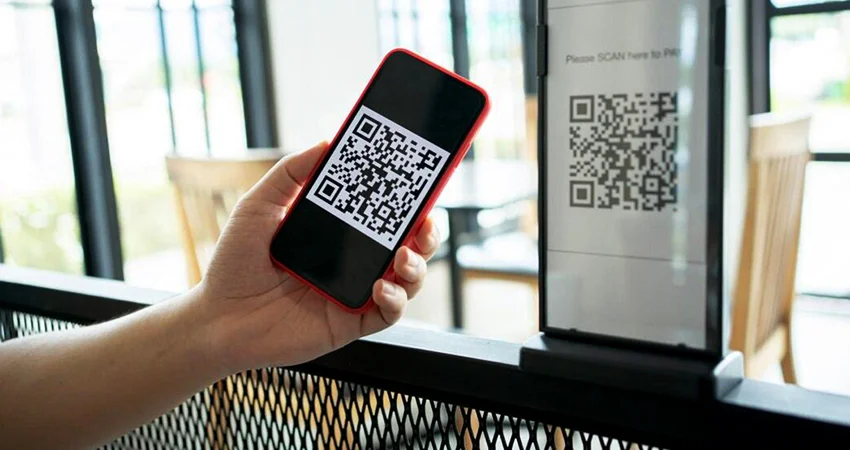
QR codes are everywhere today; you see them on restaurant menus and product packaging, business cards, posters, and payment systems. But one question still puzzles many users:
How Big Should a QR Code Be for Easy Scanning?
A QR code that is too small can’t be scanned by scanners. If it’s too big, it can mess with your design layout unnecessarily. It’s important to get the QR code dimensions right for usability, print quality, and scan success.
In this guide, we’ll explain the following:
- How Small Can a QR Code Be?
- Suggested QR Code Dimensions
- QR Code Pixels And Print Needs
- Factors Affecting Scanability
- How To Create Perfect Scannable
- QR Codes QR Codes Vs. Barcodes Size
This guide will help you decide on the right size, whether you use static QR codes or dynamic QR codes.
What is the Minimum Size For A QR Code?
Most people recommend that the minimum size for QR codes is 2 x 2 cm (0.8 x 0.8 inch). It generally works fine on most smartphones when printed clearly with excellent contrast at this size.
The minimum size of a QR code that still works, however, depends on some factors, including:
- The volume of data stored
- Print quality
- Range of scanning
- QR code type error correction level
- The camera quality of the scanning device
A QR code with a short URL can often be printed smaller than one with a large amount of information.
How Small Can a QR Code Be and Still Work?
A QR code can be printed incredibly small in theory, but practical usability is more important than theory.
Most authorities advise against smaller sizes:
1 x 1 cm for very simple barcodes.
2 x 2 cm for dependable everyday scanning.
If the QR code is too small:
- Smartphone cameras may not focus.
- Modules may blur together.
- Users may have trouble scanning.
This consideration is particularly important for printed packaging, stickers, labels, and marketing materials.
Recommended QR Code Dimensions for Different Uses
Use Case | Recommended Size |
Business cards | 2 x 2 cm |
Product packaging | 2.5 x 2.5 cm |
Flyers & brochures | 3 x 3 cm |
Posters | 4 x 4 cm or larger |
Billboards | Depends on viewing distance |
QR code stickers | 2–5 cm |
Restaurant table tents | 3 x 3 cm |
The farther people scan from, the bigger the QR code should be.
A common rule is:
Scanning distance ÷ 10 = minimum QR code size
For example:
If people scan from 20 inches away, the QR code should be at least 2 inches wide.
How Many Pixels Should A QR Code Be?
The physical size is less important for digital use; the important thing is the number of pixels in the QR code.
A good place to start is at
Minimum: 200 x 200 px
Recommended: 300 x 300 px or larger
For high-quality printing, export your QR code using the following settings:
- PNG
- SVG
- EPS
Vector formats like SVG are particularly useful because they scale without losing quality.
What Affects QR Code Scannability?
QR code size alone does not guarantee a successful scan. Other factors affect performance.
1. Density of Data
As more information is stored in the QR code, it becomes denser. You need to check the difference between static vs dynamic QR codes to know which one is better for your use case.
2. Contrast and Color
For best scanning performance:
- Use dark patterns on a light background.
- Avoid low-contrast color combinations.
- Keep the QR code free of visual clutter.
3. Quiet Zone
A QR code requires some space around it, called the “quiet zone.”
Scanners might have trouble identifying the edges of the QR code if there is no proper spacing. The quiet zone should ordinarily be:
minimum of 4 modules wide on all sides.
4. Quality of Print
Even large QR codes can be difficult to scan with blurred printing, ink bleed, or low-resolution exports. Always test printed QR codes before mass production.
How To Create A QR Code That Scans Properly?
Here are some best practices:
- Keep URLs concise
- Use high resolutions
- Test before you publish
- Don’t overdesign
- Select the proper size
You can use a free QR code generator tool to quickly test a variety of sizes before you settle on a final design.
QR Code vs Barcode: Size Differentiation
All things considered, in a comparison of QR code vs barcode, QR codes usually store much more data.
Unlike regular barcodes:
- QR codes can be read from many angles
- Hold more data
- Often readable even when partially damaged
However, their compact structure also makes correct sizing more important.
Want to generate your own QR code?
Try QR Inventor’s free QR code generator to build dynamic, trackable, and modern QR experiences for your business or personal use today.
Key Takeaway
Some QR codes may be functional at extremely small sizes, but a safer recommendation for most real-world applications is:
Print: a minimum of 2 x 2 cm;
Digital: a minimum of 200-300 pixels.
The right size of the QR code improves:
Scan success, customer experience, and marketing effectiveness.
Test your QR codes before publishing, whether you’re designing QR code stickers, product packaging, menus, or digital campaigns.
The right dimensions are the difference between a user experiencing seamless scanning and a user being frustrated.
Categories


Table of Contents
- How Big Should a QR Code Be for Easy Scanning?
- What is the minimum size for a QR code?
- How Small Can a QR Code Be and Still Work?
- Recommended QR Code Dimensions for Different Uses
- How Many Pixels Should A QR Code Be?
- What Affects QR Code Scannability?
- How To Create A QR Code That Scans Properly?
- QR Code vs Barcode: Size Differentiation
- Key Takeaway